NCTCUG Meeting Topics
Updated as Presenters Provide Details

2012


Wednesday, March 7th, 2012
7 PM, Carlin Hall Community Center
5711 4th Street S, Arlington, VA

Maps & Directions

PC Cleanup Keeps Systems Running Smoothly, Reliably, Quickly
Presented by Gabe Goldberg

Like changing your car's oil or replacing your home's air conditioner filter, a little PC cleaning pays off with a faster, more reliable, and longer-lasting computer. This presentation describes and demonstrates simple, safe, and not too-technical things to do caring for computers.


Wednesday, January 4th, 2012
7 PM, Carlin Hall Community Center
5711 4th Street S, Arlington, VA

Maps & Directions


Protecting Private Information with TrueCrypt
Presented by Lorrin Garson

Private information such as financial and medical records, personal correspondence and collections of passwords are highly vulnerable to theft unless such information is strongly encrypted. TrueCrypt (http://www.truecrypt.org/) is a free, open-source application that conveniently allows you to store any type of computer file on a virtual disk drive on your hard drive, thumb drive, CD or DVD. Installation and use of TrueCrypt will be demonstrated and characteristics of the software will be discussed.


2011


Wednesday, November 2nd, 2011
7 PM, Carlin Hall Community Center
5711 4th Street S, Arlington, VA

Maps & Directions

Recovering From a Double Computer Failure
Presented by Lorrin Garson

How do you react when your computers die a sudden death in a power failure? On September 2nd the Garson family suffered a catastrophic failure of both their desktop computers. The steps to recovery will be described including: (a) dealing with the computers’ manufacturer, (b) communication challenges, (c) data recovery, (d) software recovery, and (e) the special challenges of Outlook. How do you survive information deprivation in the interim when “everything you know” is on the computer? How long did the recovery take? How much paranoia is sufficient? All will be revealed!


Wednesday, October 5th, 2011
7 PM, Carlin Hall Community Center
5711 4th Street S, Arlington, VA

Maps & Directions

Wrestling with iPad2
Presented by Bill Walsh

The Apple iPad has made quite a splash since its introduction in April, 2010. Bill Walsh has had an iPad2 since June. His presentation will share the pros and cons of this unique device, showing off some of the many features, and giving everyone a general idea of what all the fuss is about. Other iPad owners are welcome to come and provide their observations on this handy device.

NCTCUG members have already seen an impact from this ground-breaking tablet. The use of an iPad at the Pizza & Salad SIG which follows our meetings has been enhancing those meetings as we surf for answers to issues that pop up in conversation at Two Chefs Restaurant!


Wednesday, September 7th, 2011
7 PM, Carlin Hall Community Center
5711 4th Street S, Arlington, VA

Maps & Directions

Rudiments of Microsoft Outlook
Presented by Lorrin Garson

Microsoft Outlook, which is one component of Microsoft Office, is widely used as an e-mail client, to keep track of names and addresses, calendaring, things-to-do, and other common office and personal activities. This presentation will cover the basic operations of Outlook with a live demonstration of Outlook 2007.


Wednesday, July 6th, 2011
7 PM, Carlin Hall Community Center
5711 4th Street S, Arlington, VA

Maps & Directions

Useful Stuff for More Productive & Enjoyable Computing
Presented by Lorrin Garson

This presentation will include a number of subjects to enrich one’s personal computer experience. Topics to be covered are: (1) backup, (2) anti-virus and anti-malware software, (3) password management, (4) security utilities, (5) other utilities, (6) updating device drivers, (7) PDF viewers, (8) Windows 7 tips, and (9) Windows 7 gadgets.


Wednesday, June 1st, 2011
7 PM, Carlin Hall Community Center
5711 4th Street S, Arlington, VA

Maps & Directions

Open Office

Open Office Start Page

Open Office


Overview of Open Office:
An Open Source
Productivity Suite


Presented by
Jim Rhodes, President, NCTCUG


Jim will provide an overview and demonstration of Open Office - a down-loadable, open-source package with capabilities similar to Microsoft Office. Open Office includes:

(1) A word processor.
(2) A spreadsheet application.
(3) A drawing/graphics package.
(4) A presentation manager.
(5) A database manager

It stores all your data in an international standard format and can also read and write files from other common office software packages. And it is completely free of charge!

Open Office - Some Links of Interest:
http://download.cnet.com/OpenOffice-org/3000-18483_4-10263109.html
http://www.itpro.co.uk/620845/head-to-head-office-2010-vs-open-office-3-1/2
http://blogs.computerworld.com/review_of_final_openoffice_3_why_buy_microsoft_office


2010


Wednesday, November 3, 2010
7 PM, Carlin Hall Community Center
5711 4th Street S, Arlington, VA

Maps & Directions

Acronis True Image 2011


Organizing Your Hard Drive &
The Best Backup Plan to Protect your System from Failure


Webinar Presented by
Gene Barlow, User Group Resources


Gene and Linda Barlow represent Acronis Software to the user group community. Acronis just released a new version of their partitioning product, Disk Director 11 Home, now with support for the Windows7 OS. With the large terabyte hard drives we have today, the need to set up & organize your hard drive is essential in order to take advantage of the additional space. It can be done very easily with Acronis Disk Director 11 Home.

Acronis True Image Home 2011, new release just announced in August, is their backup and recovery product. This product provides the maximum flexibility to ensure that your computers' hard drive is adequately protected and can recover from any unforeseen events, such as hard drive failures, viruses or unstable software downloads. By having & implementing a well thought-out Backup and Recovery Plan, you can put your system together again fairly quickly, instead of days or weeks. This is an important topic that every PC User should implement on their computer.

The combination of one or both of these excellent hard drive utilities will give you the power to Organize Your Hard Drive for data safety in the event of a drive crash and Protect Your Hard Drive in case of a system failure.

Gene has been a presenter in the user group community for over 28 years. For many years he managed IBM's user group support organization and has been called the Father of PC User Groups. Now retired, Gene started his own company called User Group Relations (www.ugr.com), providing support to the user group community for the software companies he represents. He is an informative and easy to understand presenter. Don't miss this important presentation.

And, bring your checkbook - special user group pricing for software will be in effect at this meeting!


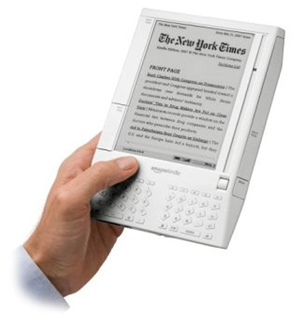
Kindle 2

B&N Nook

Kindle 2

July 28th
Internet SIG Meeting

About Those Electronic Book Readers
Presented by Lorrin Garson

There are approximately two dozen electronic book readers now on the market. In the United States, the most common devices are the (a) Amazon Kindles, (b) Barnes & Noble Nook, (c) Sony Readers, and (d) Apple iPads. The characteristics of these e-book readers will be discussed. In order to understand the dynamics of e-book reader development and competition, the following related topics will also be covered: (a) major stakeholders in e-books, (b) the source of material for e-books, (c) file formats used by e-books, (d) alternate means of electronic delivery, (e) the negative and positive attributes of e-book readers in general, and (f) factors consumers should consider in selecting an e-book reader.


Sony Reader


Wednesday, June 2, 2010
7 PM, Carlin Hall Community Center
5711 4th Street S, Arlington, VA

Maps & Directions

Mark your calendar - June 2nd special event!

Around and Over the Top of “Down Under”

World travelers Lorrin and Ann Garson will take you on a tour around Australia. Beginning in Sydney, with its two prominent landmarks, the Harbour Bridge and Sydney Opera House, they voyaged along the Gold Coast to metropolitan Brisbane. Onward to Townsville to visit its famed aquarium and on to Yorkey’s Knob where the presenters traversed the mountain ranges of Australia West Tropics via gondola and train. A stop in Cooktown named for Captain James Cook and then to Darwin, the capital of the “Top End”. Westward to Broome, once a pearling capital and to Exmouth where Australia’s longest fringing reef lies just offshore. They journeyed on to historic Geraldton and finished in Fremantle, the colonial port of Perth. Come visit the beautiful and fascinating “Down Under.”

What's this got to do with technology? This will be a webcast / webinar presentation, originating from our usual meeting place in Carlin Hall, but transmitted over the web with the help of NCTCUG member Mike Pafford, and facilities he's arranged on our behalf through JHU-APL. This will allow members remote from Arlington to watch the wonderful photos Lorrin and Ann have taken, and listen to the narration about their travels, from the member's home. Details will be transmitted via email to dues-paid members.

This session will be a "warm up"- a practice session of the technology behind the scenes, for a presentation by Lorrin on July 28th - "About Those Electronic Book Readers."


2009


Wednesday, September 23, 2009
7 PM, Carlin Hall Community Center
5711 4th Street S, Arlington, VA

Maps & Directions

Acronis True Image


Back Up Your
Hard Drive with
Acronis True Image
Home 2009


Webinar Presented by
Gene Barlow, User Group Resources


Gene Barlow has been a presenter in the user group community for 25 years. Now, thanks to online innovative communications, Gene will be presenting a live Webinar at our next general meeting. The Webinar will provide you with an active view of his presentation, allowing you to see and hear his slide presentation, see his software products demonstrated live and ask questions and receive live answers at the meeting.

Gene’s topic is “Backing Up Your Hard Drive” using Acronis True Image Home 2009. Make sure you are adequately protected and can recover from any unforeseen events such as viruses, unstable software downloads, and hard drive failures by having a well thought-out backup plan. Having a good backup system is essential in order to put your system back together again in a few minutes, not days or weeks. This is an important topic that every PC User should implement on their computer. Don’t miss this meeting.

And, bring your checkbook - special user group pricing for software will be in effect at this meeting!


Wednesday, February 4th
7 PM, Carlin Hall Community Center
5711 4th Street S, Arlington, VA

Maps & Directions

Kindle


Kindle


Kindle
Amazon's Kindle:
An Electronic Book Reader
Presented by:
Lorrin Garson


The Amazon Kindle is an electronic book reader for which approximately 190,000 book titles and a dozen magazines and newspaper subscriptions are available from Amazon.com. The device is about the size and weight of a paperback and sells for $359. Books are priced, on the average, at about $9.00 per title, although many are available for considerably less. The device itself holds approximately 200 books and a SD memory card, which can be added, will hold about 750 books per gigabyte capacity (a 32 GB card would hold 24,000 books!). Books, newspapers and magazines may be purchased online using the Kindle itself or a computer. Purchases are delivered wirelessly to the Kindle generally within 1-2 minutes employing a cell-phone technology called Whispernet. The device uses E-Ink electronic paper technology on a 6” diagonal display with 600 x 800 pixel resolution at 167 ppi with 4-level gray scale. Text size is adjustable in six sizes. Graphics are displayable in black and white only.

The device can be fully recharged in about two hours. With wireless access turned off, a charge lasts 20-30 hours and if wireless access is turned on about half that time. The Kindle can be attached to a computer via a USB port and Kindle documents can be backed-up on the computer. Amazon also stores items purchased as a backup. Word documents and photos can be e-mailed to the Kindle at an extra charge. Many blogs from numerous areas-of-interest can be downloaded.

The Kindle is full-text searchable across the device itself as well as the installed SD card. Searching can be done across documents on the Kindle, in Wikipedia, and across the World Wide Web as well. Bookmarks and annotations can be made, which are stored for future use. The device comes with a built-in English dictionary that provides for easy look-up.

The Kindle will not be the ultimate electronic book reader or even the penultimate, but it is an outstanding technical accomplishment that is gaining wide acceptance in the marketplace.

Lorrin will also be making this presentation at the joint OPCUG / WACUG meeting on Saturday, January 17th, from 12:30 - 3:30 PM, at the Osher Lifelong Learning Institute at George Mason University, 4210 Roberts Road, Fairfax, VA.


2008


Windows Home Server Box

Wednesday, March 5th
7 PM, Carlin Hall Community Center
5711 4th Street S, Arlington, VA

Maps & Directions

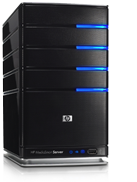
HP MediaSmart Home Server
Presented by Lorrin Garson

Increasingly, families possess multiple computers in their homes. Many residences now have two or three desktop and/or laptop computers and a significant number have more, especially families with school-age children. Linking these computers in some meaningful way, sharing information among devices and users, and maintaining multiple computers presents a significant challenge and a market for devices and technology to meet this need.

Networks and servers have long meet this essential demand in the workplace. However, these technologies have until now been too expensive and complex for home use. Hewlett-Packard has released a product called HP MediaSmart Server that is easy to implement and maintain in a home environment and provides a rich set of functions.

Such functions include the following:

1. Automatic backup of home computers running Microsoft Windows OS.
2. Restoration of backed up files as well as restoration of entire computer systems.
3. Sharing digital files across the home network, including word-processing files, photos, movies, music, etc.
4. Worldwide access to home computers and files via the Internet.
5. Centralized storage of the family's electronic information with appropriate privacy.

This presentation will include a discussion of this specific device, its administration and functions.

HP MediaSmart Home Server!


2007


Mr. Skunk doesn't wish to be photographed!!

Wednesday, July 11th
7 PM, Carlin Hall Community Center
5711 4th Street S, Arlington, VA

Maps & Directions

Photography Challenges in Travel
Presented by Lorrin Garson

Traveling presents a number of challenges for taking photographs, whether using traditional film or digital equipment. Arctic and equatorial climates offer special challenges. Religious views in Muslim countries, cultural differences and political situations present other challenges. Photographing children and other wild animals can be stimulating and frustrating. Besides cameras, what other equipment should you take? In what ways are film and digital photography alike? Are there any special considerations for travel outside the U.S.? What special considerations are there in using digital equipment? How can you get decent photos in bad weather (rain, snow, etc.)? Primary focus will be on amateur photography with both point-and-shoot and SLR cameras, but with emphasis on the latter. Sample photographs will be shown.

Photographers need to be fully aware of their surroundings !!


Wednesday, June 27th, 2007
7 PM, Carlin Hall Community Center
5711 4th Street S, Arlington, VA

Maps & Directions

Crashed !!

Computer Repair and Troubleshooting

Bring your system to our meeting for help - we'll chase down those hardware and software bugs.

Computer Virus


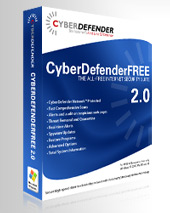
Cyber Defender box

Joint Meeting - NCTCUG & WACUG
Wednesday, June 6th
7 PM, Carlin Hall Community Center
5711 4th Street S, Arlington, VA

Maps & Directions

Visit from CYBERDEFENDER

CyberDefender's Alan Wallace will give tips on how to surf on the internet, keep your computer malware free, and how to protect your identity.

Here are some topics to be covered:
-Spyware
-Viruses
-Malware
-Adware
-Phishing Scams
-Dangerous Spam


Cybercriminals covet your identity data like never before. What's more, they've perfected more ways to access your bank accounts, grab your Social Security number and manipulate your identity than you can imagine.

Security is on everyone's mind these days, and with good reason. But if you're careful and take a few simple steps to prevent problems, you shouldn't have anything to worry about.


Special from CyberDefender:

1.) We are now offering the first all Free Internet Security Suite.
2.) This is the first Suite that can work alongside suites from competitors – giving users a second layer of protection – especially for viruses and spyware.
3.) Our solutions work on a secure peer network – this allows us to save the 25,000 usual Akamai bill and deliver solutions that update when needed and not have to worry about a huge bandwidth bill. Our goal with this is to be better protection for REAL TIME threats.

Our Free product is ad supported – but for $11.99 you can get rid of the ads – both a quite affordable and both offer the exact same protection. http://cyberdefender.com/

Early Detection Center  box


Home


Wednesday, May 2nd, 2 - 4 PM,
Carlin Hall Community Center, Arlington


Smart Computing

The National Capital Technology & Computer User's Group is expectantly looking forward to their May 2, 2007 meeting. Marcy Kremer will present to user group members on behalf of Sandhills Publishing. Members of the Novacom Computer Club, and the Washington Area Computer User Group have been invited to this special meeting.

The presentation, aiming to educate attendees about Sandhills Publishing's magazines and the Smart Computing User Group Program, will step members through an issue of Smart Computing, convey the value of SmartComputing.com through a live demonstration, and introduce attendees to Smart Computing's sister publications - PC Today, First Glimpse, Reference Series, and Computer Power User. Marcy will also share with us how we can receive unlimited computer support from Smart Computing. Each attendee will receive a packet of Smart Computing goodies and be eligible to win other Smart Computing merchandise. We invite anyone interested in expanding their computer knowledge to attend the National Capital Technology and Computer User's Group meeting.

Meeting Announcement

About This Presentation

PDF files - 1.6, 3.2 MB respectively


Home


Wednesday, April 25th, 7 PM,
Carlin Hall Community Center, Arlington


Windows Live OneCare - Security Software

Speaker: Ann Jaekle,
President, Greenspring Village Computer Club
Member of NCTCUG, WACUG

Windows Live OneCare, a recent security suite from Microsoft, is an all-in-one product offering protection and maintenance for Windows XP-based PCs.

You may be "bothered by Microsoft’s attempt to sell you twice—once on a vulnerable operating system, once on a fix . . ." (David Pogue, The New York Times, June 29, 2006). But if you can overcome resistance to Microsoft, this product is well worth considering. For many users, especially nontechnical users, Windows Live OneCare has an excellent selection of security software and maintenance services: antivirus, antispyware, backup, updates, firewall, and tuneup. Tuneup includes removing unnecessary files, defragmenting your hard drive, checking your computer for viruses, checking your computer for files needing a backup, and checking for updates from Microsoft. This all comes in one easy-to-schedule, easy-to-maintain application.

Although the price from Microsoft.com is $49.95 a year (for up to three computers), Ann purchased it from Amazon.com for $39.99. Designed for nontechnical users, Windows Live OneCare includes free 24/7 telephone support. It is not as flexible as some of its rivals, "so if you are a geek or do-it-yourselfer, you can assemble a suite of tools that does everything that OneCare does with more control and far less cost (though with far more effort)," says David Pogue. If you support computers used by your spouse, children, or parents, it might be just the right program for their computers.

Speaker: Ann Jaekle is president of the 425-member Computer Club at Greenspring Village in Springfield, Virginia. A retired school administrator, she served for 30 years as an English teacher, English curriculum specialist, and secondary school administrator. She also was a clinical member of the American Association of Marriage and Family Therapy and a co-leader, with her husband, of many marriage enrichment courses and workshops.

After retirement, Mrs. Jaekle became a certified financial planner, working 3 years for H&R Block and as an interim financial coordinator at Pastoral Counseling and Consultation Centers of Greater Washington, a not-for-profit corporation. Since moving to Greenspring Village with her husband in May 1999, she has been a member and chair of the Greenspring Village Resident Council, and chair of the Erickson Resident Advisory Council Conference. She currently serves on the Greenspring Village Board of Directors.

Ann Jaekle received her BS from Mary Washington College and her MA from Columbia University. She lives with her husband, a retired Episcopal priest. They have two sons and six grandchildren.


Home


Wednesday, March 28th, 7 PM,
Carlin Hall Community Center, Arlington


Be a Spy ! - See the Radio Spectrum

Speaker: Bill Walsh
Member of NCTCUG, WACUG

We have come a long way in radio communications receivers, from large vacuum tube equipment to miniature solid state to subminiature surface mount solid state. Incorporating computers into their evolution, receiver technology has created the "Software Defined Radio" which uses programming to access and manipulate the rf spectrum.

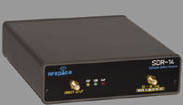
There is a little black box made by RFSpace (www.rfspace.com) called the SDR-14. It is designed to receive signals from 0 kHz to 30 MHz, and includes the capability to hear and see the radio spectrum. You can define wide or narrow chunks of radio frequencies to observe, which lets you see signal presence on a wide scale or see, filter, and record signal activity with a narrower spectrum scale.

Join us as we explore the radio frequency world around our meeting place.

Spectrum Display Screen


2006

Wednesday, August 23rd, 7 PM,
Carlin Hall Community Center, Arlington

Networking: Connection and File Sharing, Part II

Computer Network At this meeting, we hope to fully network three or more computers, and work on file sharing and backup techniques, that are the essence of home networking.

At our last meeting, we learned that we needed to provide IP addresses for computers connected via a hub in a network, and that we needed to specify a file "share" on each computer to see it with Windows graphic tools. We also discovered that firewall software impeded our efforts until we resolved our IP address issues.

As more computer users acquire cable modem or DSL high speed internet access, the reasons for home networking become more apparent. Sharing connections and files with a network quickly seems a necessity, and the ease that wireless connectivity offers is impossible to resist. Another group of folks who find the value of networks are new laptop users, who need to transfer files to and from their desktop systems.

We'll be using the club's demo computers to create the equivalent of a home network, and demonstrate ways to share files across the network. Setting up a network is also a great way to insure critical file backups. Join us as we learn the techniques and share knowledge on keeping these networks safe.

Networked Computers


March 1st, 2006
Cybercorder 2000

Join us as Bill Walsh demonstrates a program by Skyhawk Technologies that allows use of your computer as an audio recorder, either directly off the internet, or via the audio input jacks, to make recordings at specific times, such as you would program a VCR or DVR to do.


February 22, 2006
InfoShare Session

We've all gotten hooked on the Internet as a source of information, but sometimes it's tough to beat the old standby - the printed page ! Bring your favorite book on a computer, technology, or "Do It Yourself" topic and share with the group. What's your favorite source of reference information? Do you get a catalog from a favorite supplier of computer accessories, tools, or gadgets?


January 25th, 2006

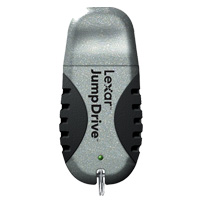
APCUG Regional Representative Gabe Goldberg will demonstrate and discuss various USB drives with security tools. Some protect data on the drives, others use the drives to manage passwords. Gabe will show drives from Lexar, Kanguru, and APC. Additional topics will include what Gabe learned at the annual conference of the Association of Personal Computer User Groups,and the Consumer Electronics Show, held in Las Vegas in early January; also, what's the latest on Windows Vista, the next generation of the operating system, due out later this year.


2005

December 28th, 2005

Dropping In with New Toys

What New Tech Toys
Did Santa Bring You?


New camera, photo printer, CrashBox360? Bring your latest hardware, software, and tech toys to discuss and demonstrate to your NCTCUG friends.
Lots of Cool Stuff on the Way !!


December 19th, 2005

Follow the Money !!

Audit Meeting for FY '04 & '05


What makes NCTCUG tick financially? Members are invited to join the board of directors in performing an audit of the group's financial records for the two most recent fiscal years. Annual reports and other financial information are available on the Organizational Documents page.
Audit tools


December 7th, 2005

Crashed !!

Computer Repair and Troubleshooting

Bring your system to our meeting for help - we'll chase down those hardware and software bugs.

Computer Virus


November 23, 2005

CPU Your Own Computer

Build Your Own Computer, Part II


Repeated at WACUG December 10th

Paul Howard will narrate an Intel presentation to guide users through the creation of their own system.

Part II - the Workshop - where we'll actually help you build your own new PC. We'll not only walk step by step with you through the process of building a PC, but we've arranged with PC Club for special pricing and support on everything you'll need to build a state-of-the-art, Intel-based PC loaded with the advanced features you want and need.

For a price of not much more than $500 and on up, depending on how fast and functional a system you need, you'll be able to get all of the components for an amazing PC worth much more than that if you were to buy it pre-assembled. The available parts have been carefully selected by experts from within the User Group community based on their stringent demands for performance, function, quality, and value.

To reserve your spot at the Workshop, please contact Paul Howard - 703-860-9246. You can also see more details at our special web page for this series: Build Your Own Computer


Hard Drive Fan & Heatsink


Home

Copyright © 2005 - 2008 NCTCUG, Inc.